Every feature comes with every store.
116 features, from the first pull to the last shipment.
- No tag: built and working today.
- Ready at launch Done before your store opens.
- Optional Built in, off until you turn it on.
- Later Coming after launch.
The storefront. Built around the pull.
Every screen a player touches, from the pack page to the box on their doorstep.
Prize wall
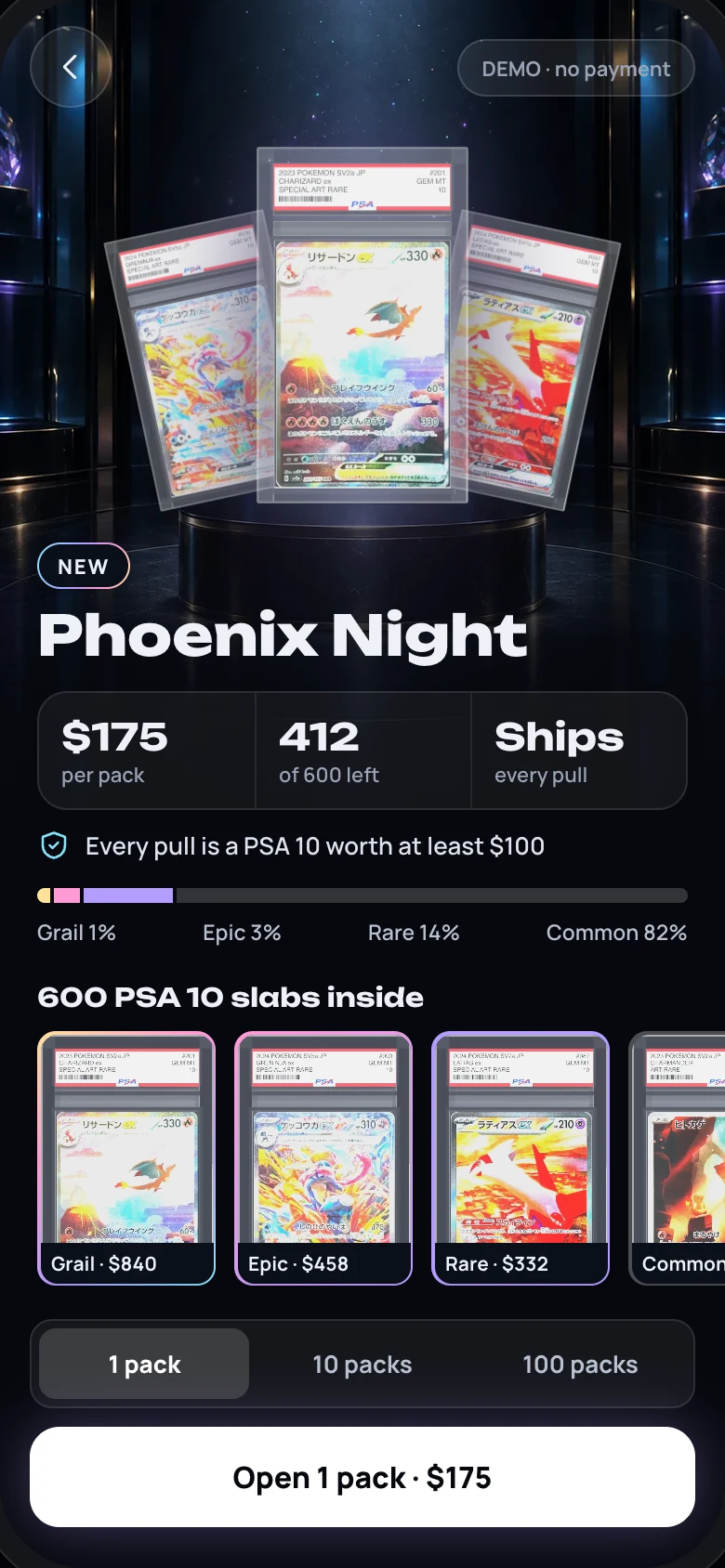
Every card in the pack with its tier, market value and how many are packed.
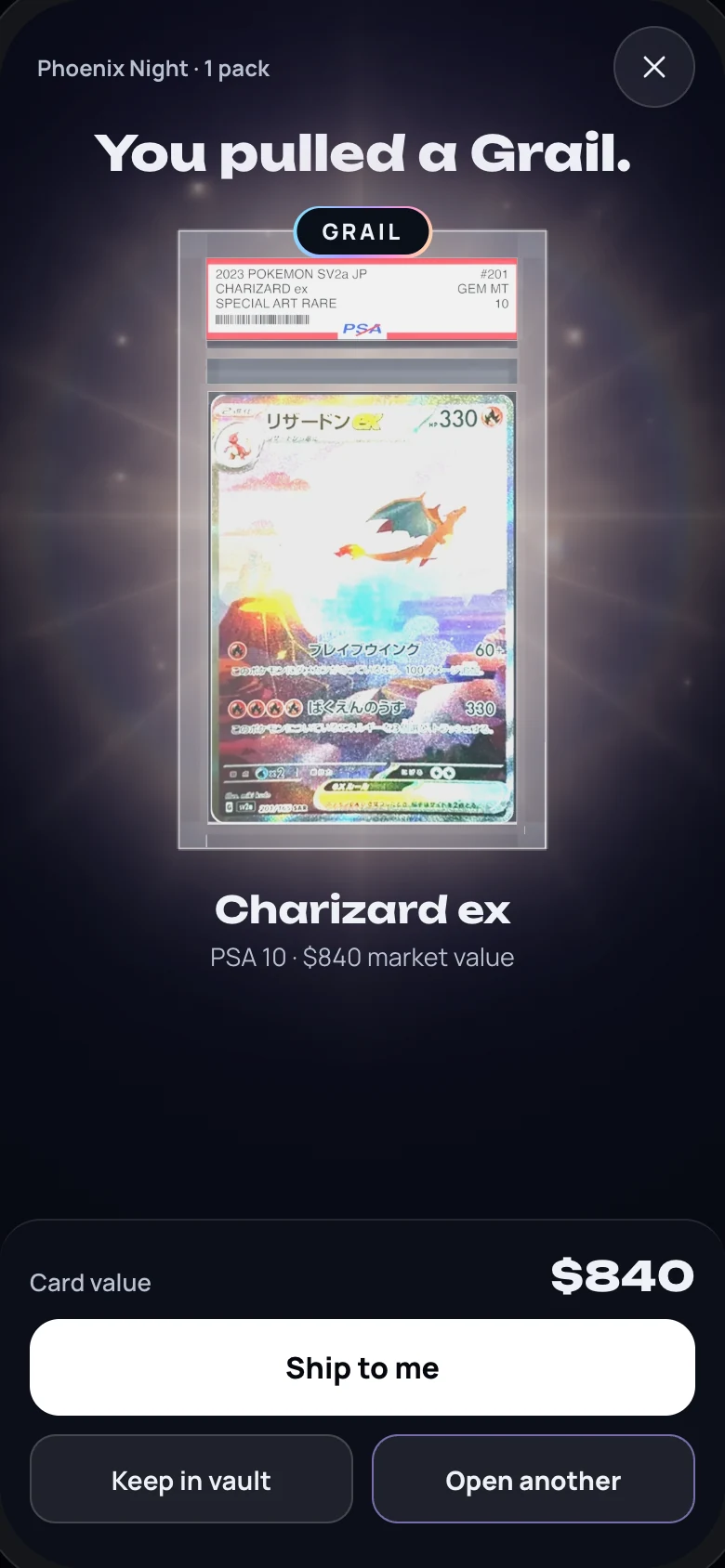
A reveal for every tier
Each prize tier gets its own reveal. Tap to skip.
Ship from the result
Players tick the cards they want and request shipping in one step.
Pack pages
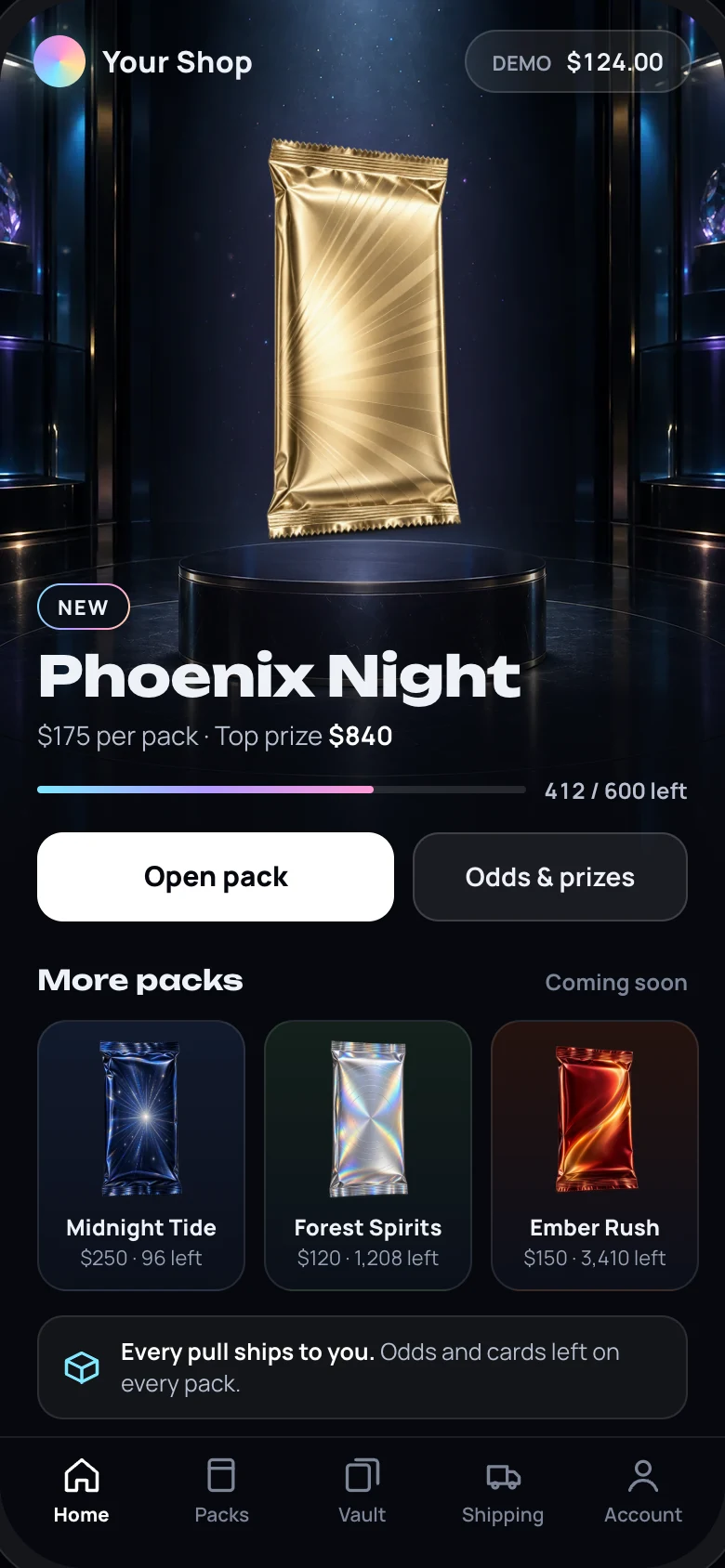
Price, packs left, top prize and the full prize list on one page.
Packs left
Every pack shows how many are left. The home page adds a progress bar.
Odds before paying Ready at launch
Each tier’s odds and the cards left, shown before every purchase.
Open 1, 10 or 100
Players choose how many packs to open at once. The price updates with it.
One clear confirm
Balance before and after. Short on credit? Top up from the same screen.
Results that read fast
The best card first, the rest by value. Big pulls group duplicates.
Player vault
Every card a player owns, grouped by pack and date, sorted four ways.
Pull history
A player’s latest 60 pulls with tier, card, pack and time. Bonus prizes are marked.
Sold-out handoff
A sold-out pack’s page can send players straight to its restock.
No double charges
If the connection drops mid-pull, the player gets the same result instead of being charged twice.
Google or email sign-in
Players sign in with Google or with their email.
Account closing
Players can close their account, with a 7-day window to change their mind.
Packs. Sealed, tracked, run by you.
How packs are sold, locked and managed once they’re live.
Sealed contents
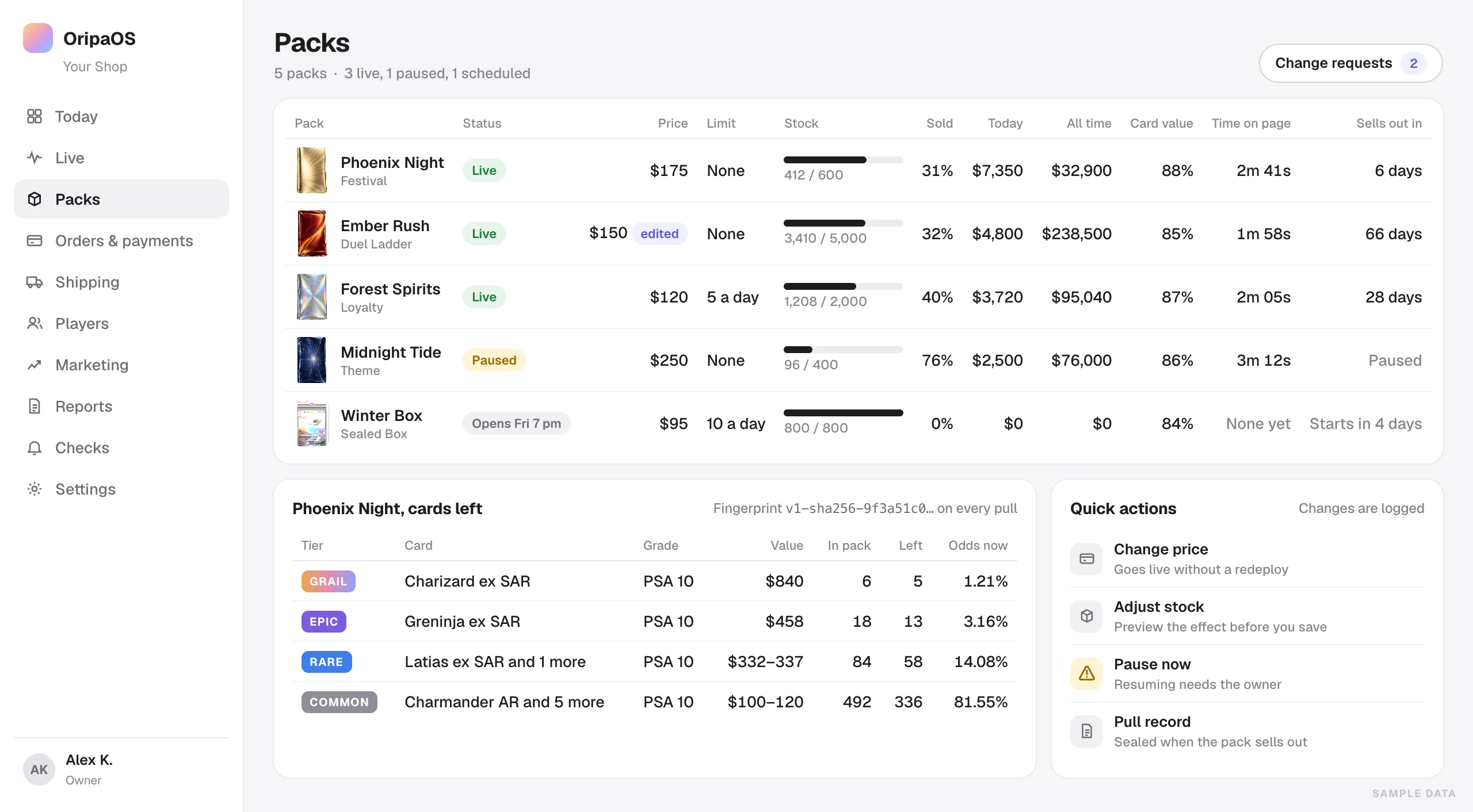
Each pack’s contents get a fingerprint, saved with every pull. A pack that doesn’t match its fingerprint can’t be pulled.
Last-pack prize
An extra prize for whoever opens the last pack.
Sell-out forecast
How many days until each pack sells out, at its current pace.
Prize tiers
Grail, Epic, Rare and Common, each with its own look and reveal.
No putting back
Each pull takes a card out of the pack for good.
Odds from what’s left Ready at launch
Odds come only from the cards still in the pack, with no hidden weighting.
Cryptographic randomness
Every result comes from a cryptographic random number generator on the server.
One pull at a time
Each pull locks the pack’s stock and the player’s balance until it finishes, so no card is won twice.
Milestone prizes
An extra prize on a chosen pack number, or on every Nth pack.
Pack limits
Cap how many packs each player can open, or how many per day.
Scheduled launches
Set when a pack opens and closes.
Live price changes
Change a price while the pack is live. The change is logged.
Emergency pause
Pause a pack in one step. Only the owner can resume it.
Change requests
Big edits are drafted, approved and compared side by side before they go live.
Margin check
A pack priced below a safe margin can’t go live, so a pricing slip never reaches players.
Card costs
Record what each card cost you, one by one or from a CSV file.
Every pack at a glance
Status, price, stock, sell-through, revenue, card value and time on page for every pack.
Sold-out pull records Optional
When a pack sells out, its full pull record is sealed. Once you approve, it’s published on its own page and re-checked every 24 hours.
Pack builder Later
Build packs yourself from proven formats, with your margin worked out as you go.
Payments. Every top-up, credited once.
Players top up credit with a card or wallet, then open packs with it. Every movement is recorded.
Card, Apple Pay, Google Pay
Checkout runs on Stripe.
Refunds
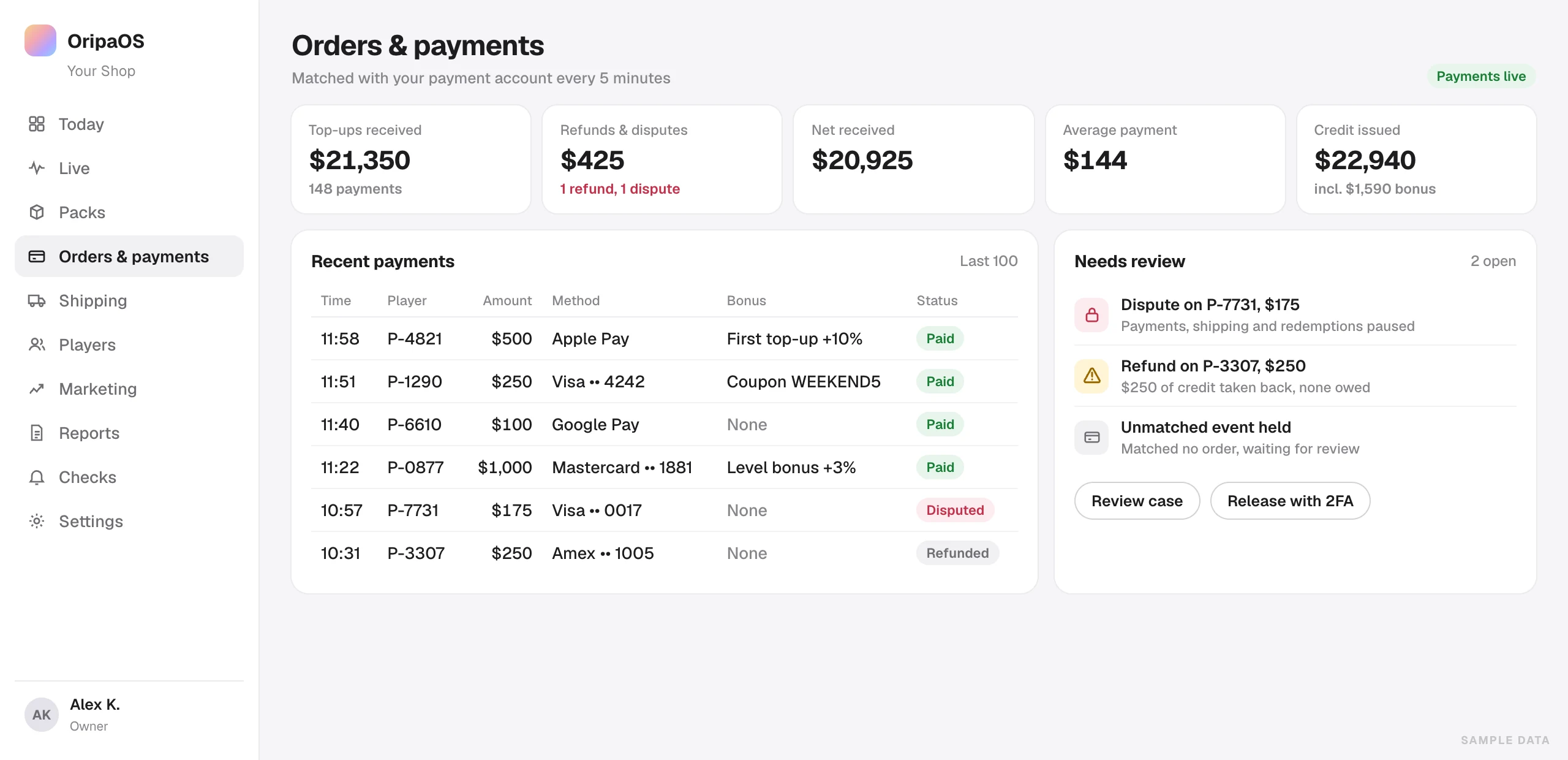
A refund takes back the matching credit. Credit already spent is tracked as owed.
Disputes
A dispute pauses that player’s payments and shipping until you review it.
Your own payment account Ready at launch
Players pay your business directly. OripaOS never holds your sales.
Counted once
Payment notices from Stripe are signature-checked and applied once, so no top-up is credited twice.
No missed top-ups
Every five minutes, open checkouts are checked against Stripe.
Payment recovery
Payments with an unclear result are found and settled automatically.
Held payments
Payment notices that match no order wait for your review instead of changing a balance.
Checkout limits
Five checkouts per player every ten minutes, and a cap on the paid credit a player can hold. Both slow down fraud.
Credit ledger
Paid and free credit are kept in separate batches. Paid credit is spent first.
Your top-up amounts
The amounts players can buy are set for your store at setup.
First top-up bonus
Extra credit the first time a player buys each amount.
Coupons
Fixed credit or a top-up bonus, with use limits, amount ranges and end dates. Give one straight to a player’s account.
Checkout reminders
One email when a player leaves a checkout unfinished.
Payments at a glance
Top-ups, refunds, net, average payment and credit issued, with the last 100 payments.
Live payments sign-off
Turning on live payments takes the owner’s sign-off and a fresh code. There’s an emergency stop.
Sales pause Ready at launch
If your payment account stops working, sales pause on their own. Shipping keeps going.
Shipping. Pack once, ship everything.
Players ask for their cards when they’re ready. This is how the orders reach your desk.
Combined shipping
One request, many cards, one package.
Pick list
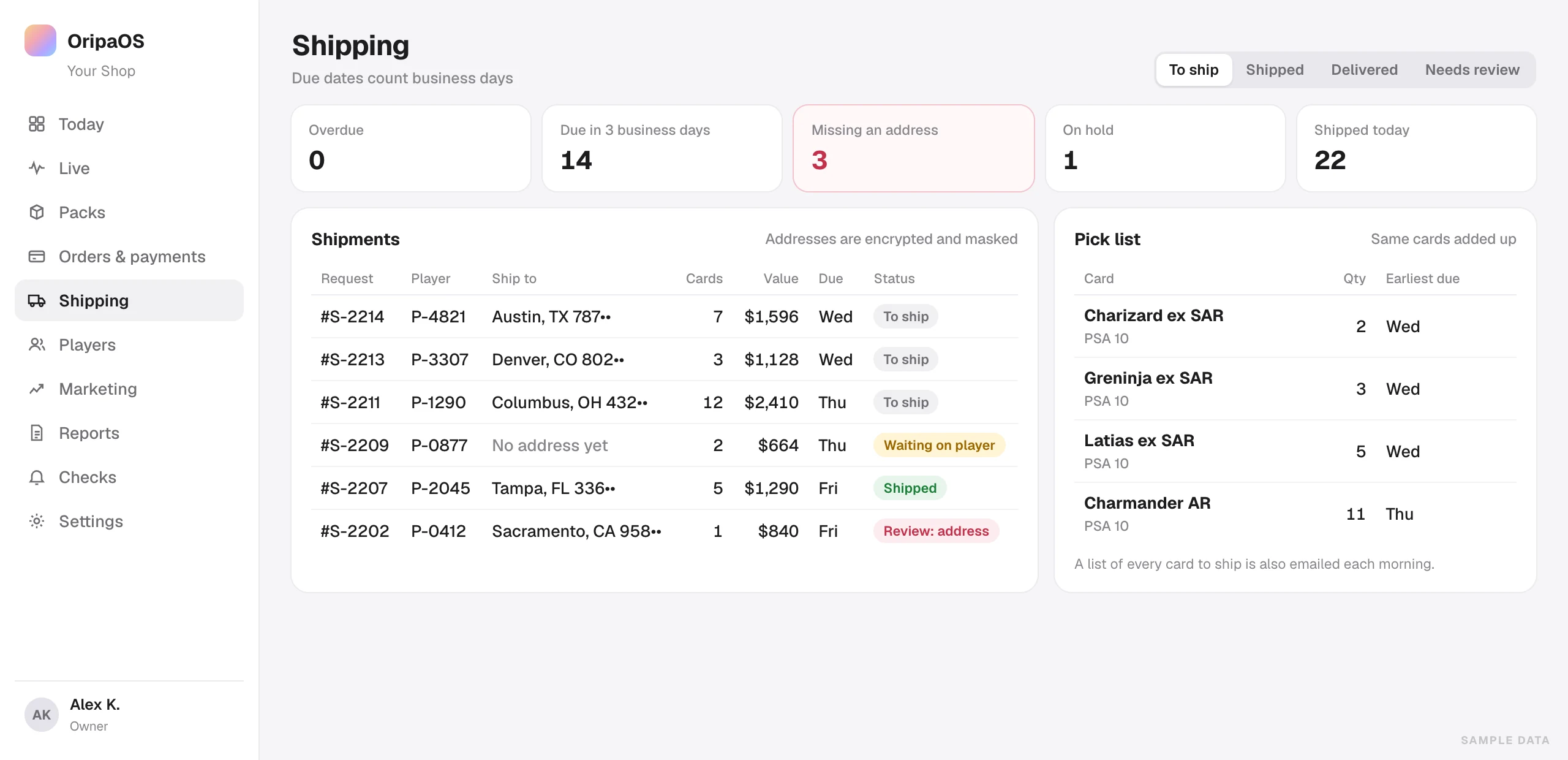
The same card across all orders, added up, with its earliest due date.
Workboard
Overdue, due soon, missing an address, on hold and shipped today, at a glance.
Shipping minimum
A minimum value per shipment keeps postage sensible.
Business-day due dates
Each request gets a due date that skips weekends.
Morning email
A daily email listing each card waiting to ship and its address.
Tracking
Add the carrier and tracking number. Players follow their order in four steps, from request to shipped.
Address fixes
Correct an address after a second check. It goes into the log.
Review queue
Hold a shipment for review, with a reason.
Shipping emails
Players hear from you when a request comes in and when it ships.
Failed email desk
See emails that didn’t go out, then resend or close them.
US addresses and carriers Ready at launch
US addresses and ZIP codes, with USPS, UPS and FedEx tracking links.
Growth. Find players, keep them pulling.
See where every player came from, and give them reasons to come back.
Referral codes
Every player gets a code and a short link. Both sides earn credit once the friend’s purchases pass a set amount.
Creator codes
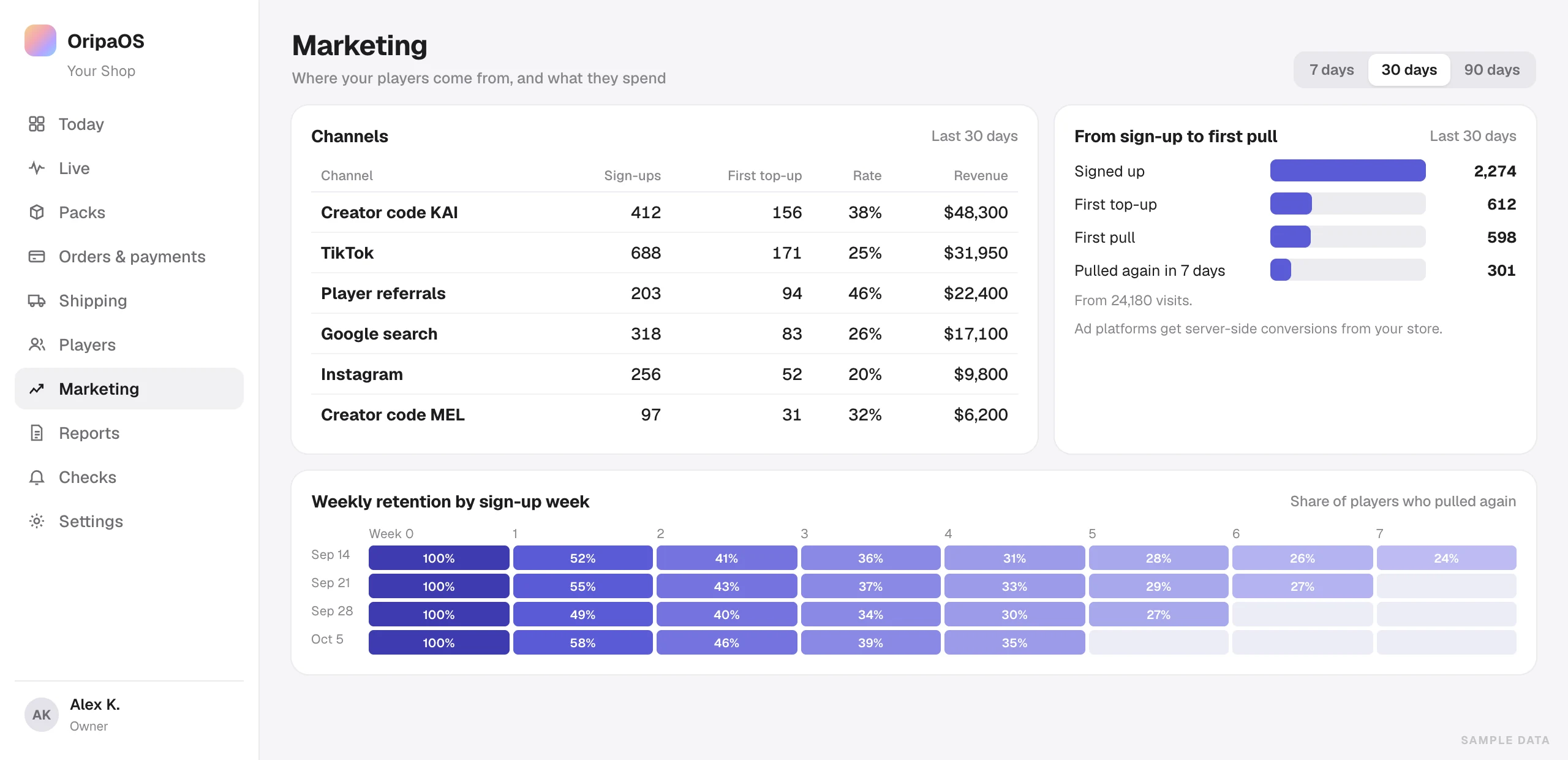
Give each streamer a code. See their sign-ups, first top-ups and revenue.
Channel report
Sign-ups, first top-ups and revenue by channel, over 7, 14, 30 or 90 days.
Funnels
From sign-up to first top-up to first pull, and who comes back.
Where they heard
New players can tell you how they found your store.
Server-side conversions
Sign-ups and purchases reach Meta, TikTok and X from your server, so ad blockers don’t hide them.
Tracking health
Shows whether Meta, X, Google Analytics, Clarity and Search Console are set up and receiving data.
Search-ready pages
Structured data for your store, packs and FAQs, plus a sitemap.
Found by AI search
A summary file (llms.txt) that tells AI assistants what your store sells.
Collector levels
Monthly spend levels, each with a top-up bonus and a gift on reaching it.
Prize posts
Players post a prize they received on X. You check it and send a credit reward.
Your numbers. Live, daily and monthly.
From the last five minutes to last month, already worked out.
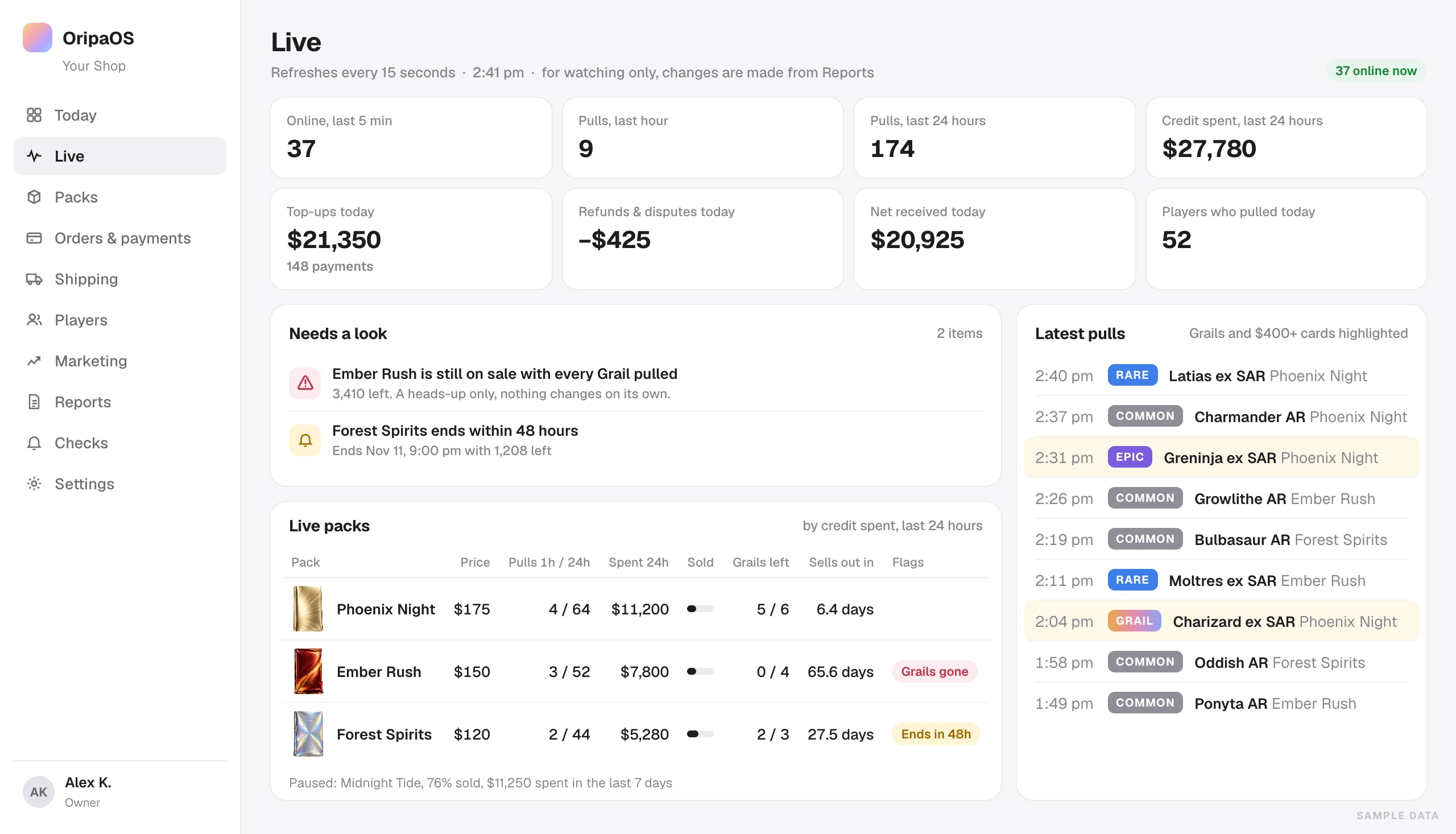
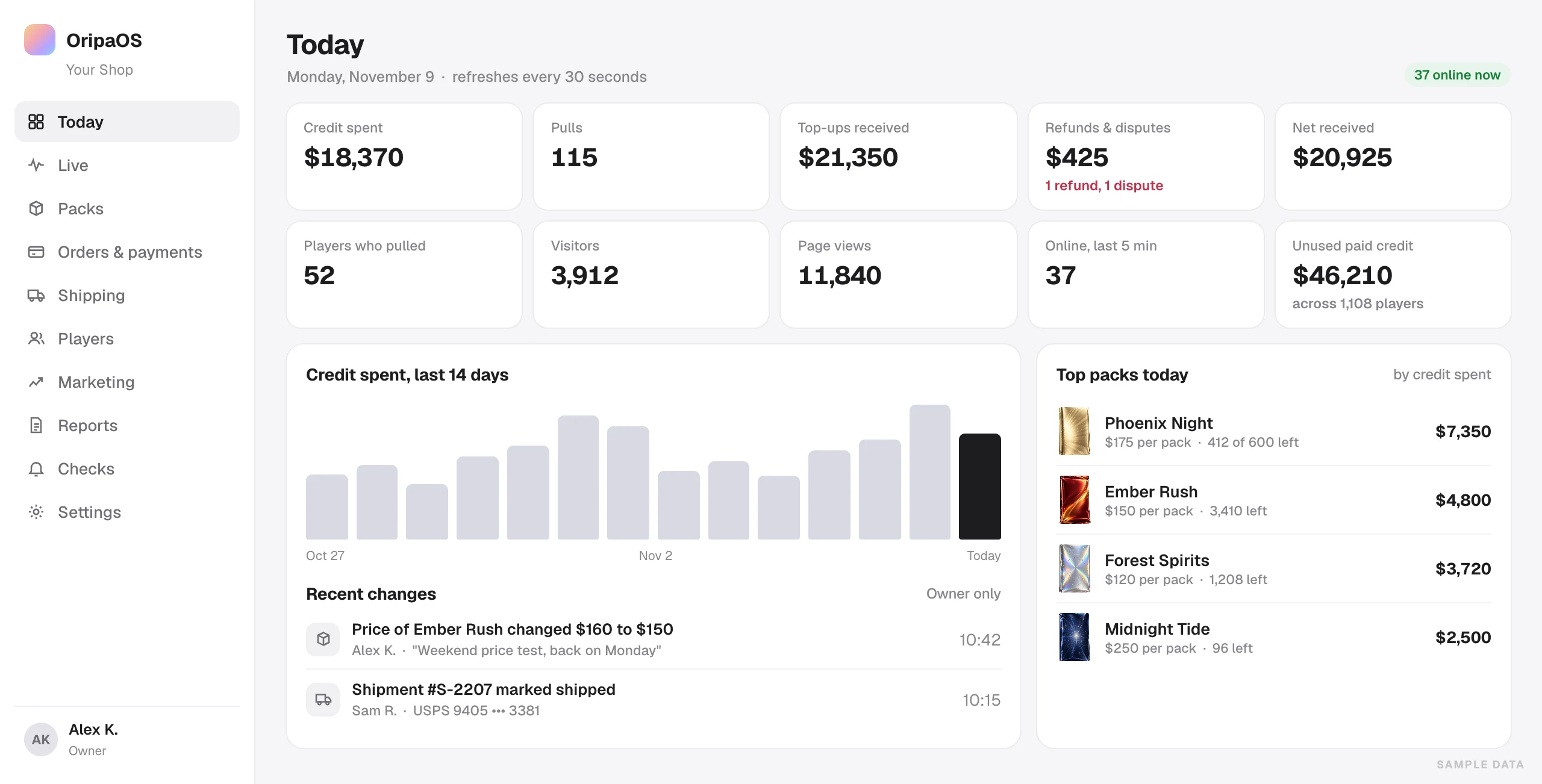
Today
Ten numbers for the day, refreshed every 30 seconds, with 14-day charts and your top packs.
Live
Every 15 seconds: who’s online, pulls in the last hour and day, and the latest 30 pulls with big hits picked out.
Written reports
Daily, weekly and monthly reports, written automatically, with suggestions backed by your data.
Warnings
On the Live view: packs no one has opened for a day, packs on pace to sell out, packs still selling after the top prize is gone, and packs ending within 48 hours.
Daily review
Any day against the seven before it, pack by pack, with the big moments listed.
Player KPIs
Revenue per player, paying rate, daily players, new, returning and lapsed, over 7 to 90 days.
Retention and lifetime value
Weekly retention by sign-up week, and lifetime value by sign-up month.
Demand
Supply and demand by price band, and a weekday-by-hour heatmap.
Top players
Your top 200 players by spend, with level and balance. Emails stay hidden.
Traffic
Visitors and page views for 14 days, your top pages and top referrers.
Security. A code and a reason for every sensitive change.
Built for a business that handles money and graded cards.
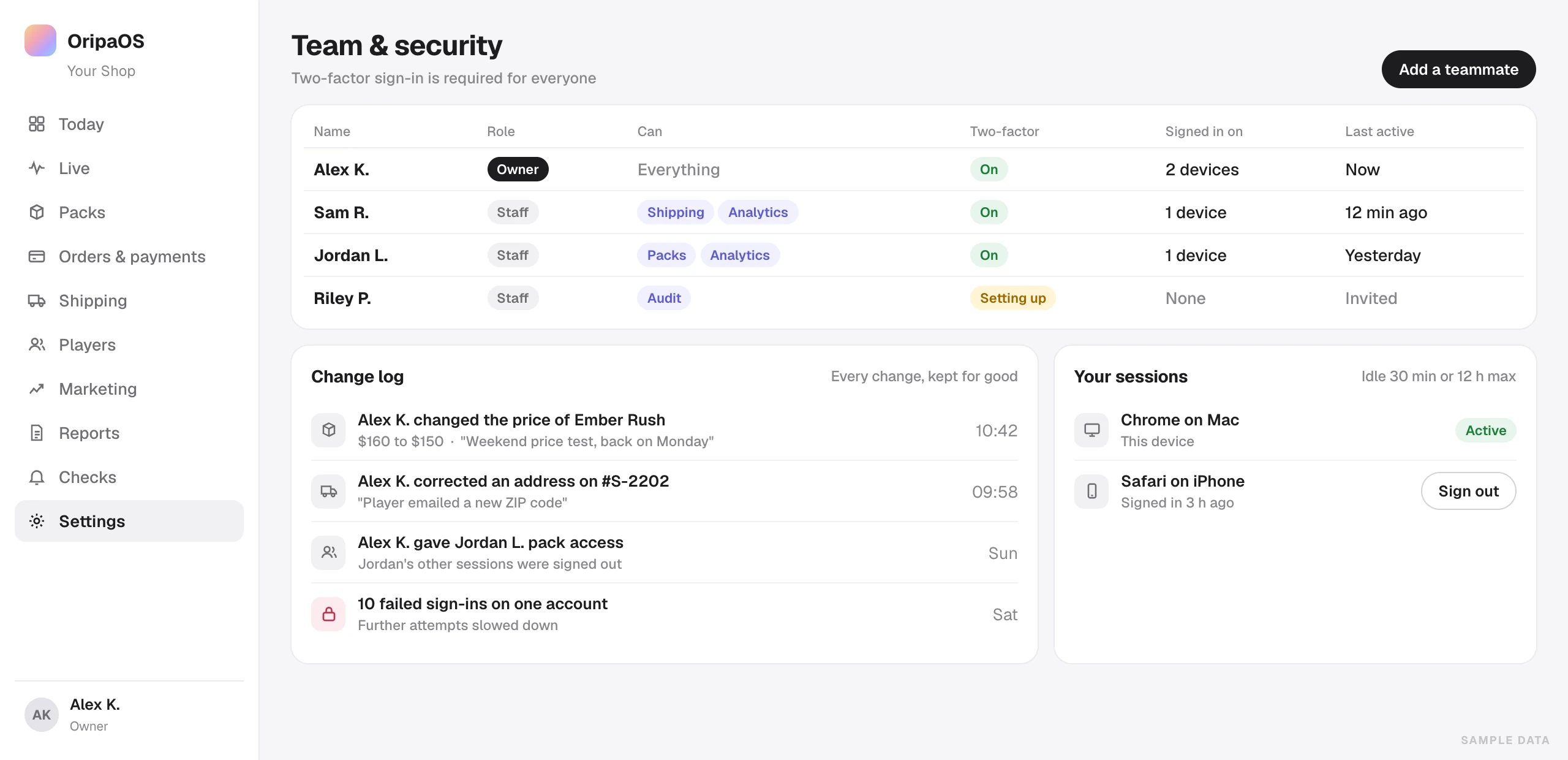
Two-factor for everyone
Every admin signs in with an authenticator app, the owner included.
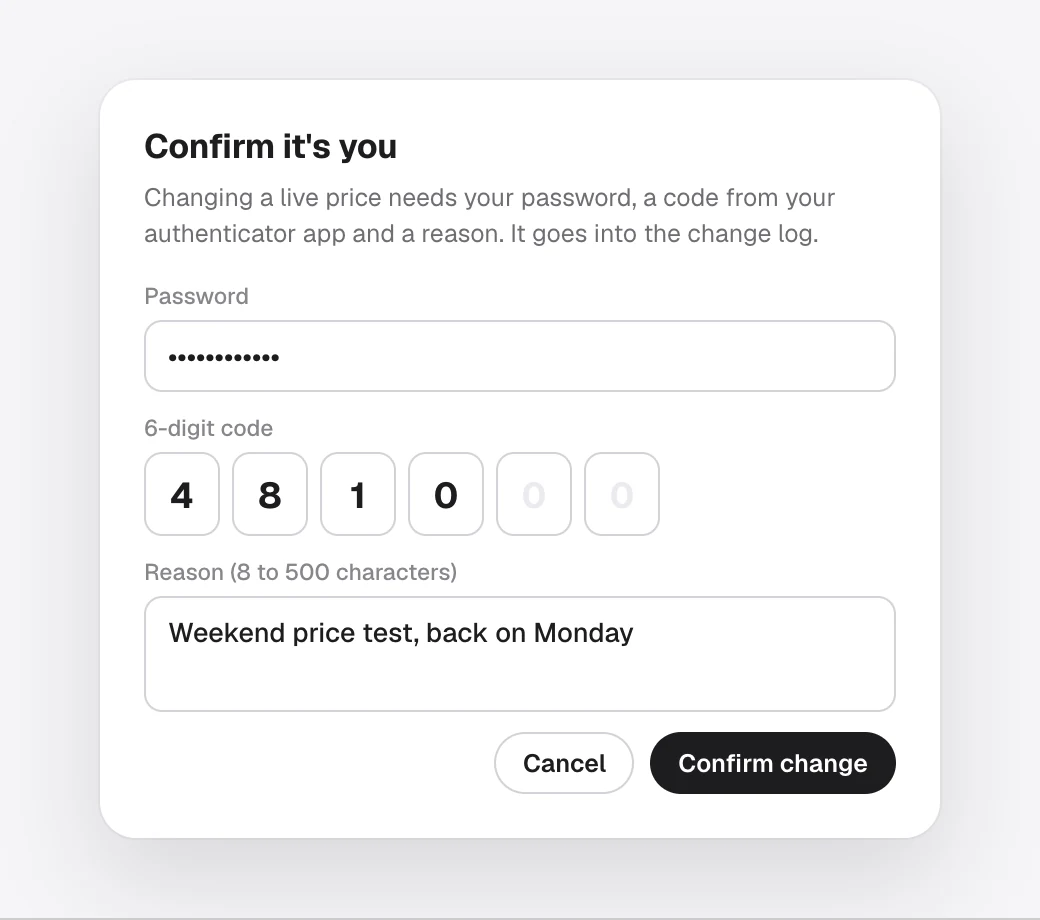
A second check
Sensitive changes to money, coupons, packs, addresses and your team need your password, a fresh code and a reason.
Change log
Every admin change is recorded, and the record can’t be edited or deleted.
Recovery codes
Ten one-time codes for a lost phone.
Owner and staff
One owner. Staff get only what they need: analytics, packs, shipping or audit.
Session limits
Signed out after 30 idle minutes or 12 hours. A role change signs that person out everywhere.
Other devices
See where you’re signed in and end any session.
Sign-in protection
Repeated attempts are slowed down, by network and by account.
Bot limits
Limits on pulls, sign-in and checkout keep bots from flooding your store.
Encryption
Addresses, tracking numbers and two-factor keys are encrypted at rest, and masked on screen.
Pull records can’t be rewritten
Six separate database roles. The store app itself can’t change a pull record.
Protected dashboard
HTTPS only, a strict content policy, and no embedding by other sites.
Checks. Stock, balances and payments, every hour.
Every hour, OripaOS checks your stock, balances, payments and pull records.
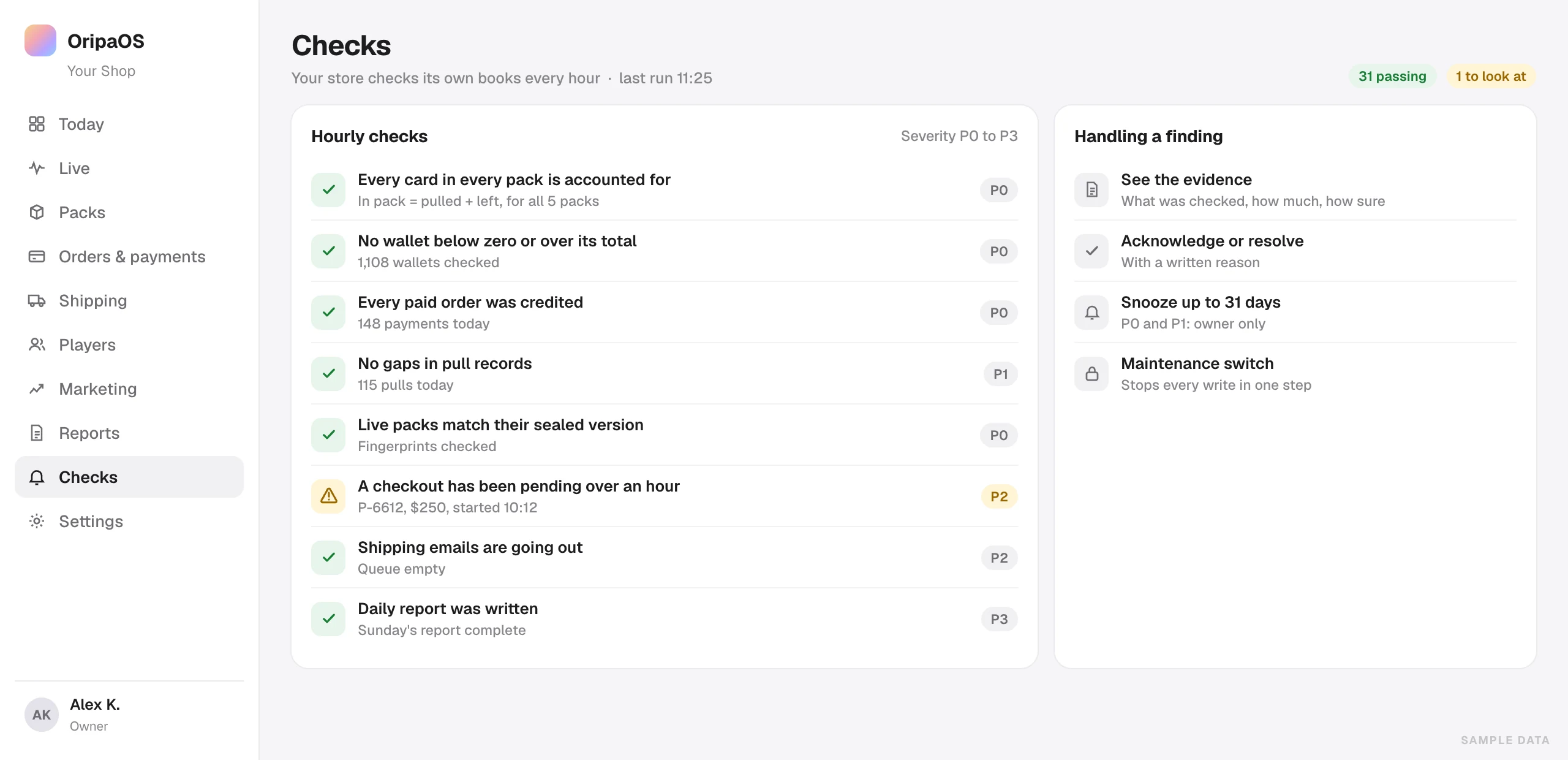
Hourly self-checks
Stock, balances, payments, pull records, reports and tracking, checked every hour.
Stock adds up
For every pack: packed equals pulled plus left.
Alerts by email Ready at launch
Critical findings are emailed to you, at most once every six hours.
Balances stay sound
No balance goes below zero, and paid credit never exceeds the total.
Payments credited
Every paid order was credited, and nothing unpaid was.
No missing pulls
Pull records are checked for gaps.
Severity levels
Findings are ranked from critical to low. Only the owner can snooze the top two levels.
Evidence attached
Each finding shows what was checked, how much of it and how sure the check is.
Maintenance switch
One platform switch pauses changes across the store.
Uptime checks
A health address any uptime monitor can watch.
Tested before every release
Type checks, a full build and database tests run before each release.
Restore drills
Every release check backs up a test database, restores it and verifies it.
Rules. US safeguards, set for every store.
The safeguards US stores need, built in for every store at launch.
State blocking Ready at launch
Players in New York, Washington, Nevada and New Jersey can’t buy on any store. Based in one of these states? Talk to us before you apply.
Age check Ready at launch
Date of birth at sign-up, and 18+ before any top-up.
Every pull ships by default Ready at launch
Cards wait in the player’s vault until they ask you to ship. Turn on instant sell-back if you want players to be able to sell a card back for store balance. It never pays out cash.
Checked three times Ready at launch
Location is checked on the page, at checkout and against the shipping address.
Legal pages for your store Ready at launch
Terms, privacy, odds and rules, and shipping and returns, generated from your store settings.
Cookie choices Ready at launch
Consent for tracking, and Global Privacy Control respected.
New-account cap Ready at launch
A top-up cap for each new account’s first 24 hours, to stop card testing.
Prize records Ready at launch
A yearly export of players with $2,000 or more in prizes, with a W-9 request template.
Ready to open your store? We’ll set it up with you.
Done-for-you setup adds a custom theme, your first three packs with a banner for each, and hands-on help with your first two launches.